
What is the plan today?
AlgoDesk
Your S&P 500 trading desk, from the premarket plan to the closing statement.
AlgoDesk follows one trading day from start to finish. Before the open it lays out the price zones that may matter and the setups worth watching. Through the session it tracks that plan against the market. After the bell it reviews the plan, setup by setup.
Game Plan Before the open
- IFPrice holds the support zone
- TARGETThe objective below resistance
- WRONG IFA close below support
Live Desk 9:30 to 16:00 ET
- Price is testing the support zone.
- Support held. Plan 1 is active.
- Plan 1 reached its objective.
- Resistance held on the first test.
Closing After the bell
- Plan 1 · Objective reached
- Plan 2 · Condition not met
- Plan 3 · Condition not met
Illustration with sample data. One day shown from the premarket to after the close.
One page. Follow it through the day.
AlgoDesk has three tabs, one for each part of the day: Premarket Plan, Live Desk and Closing Statement. The stops below follow a sample day in order and show every area of the page as it looks at that moment, on a large screen and on a phone.
The same desk is in the AlgoIndex app for iPhone and Android, with the plan, the map, the feed and the closing statement.
Pre-Market Game Plan: written before the bell
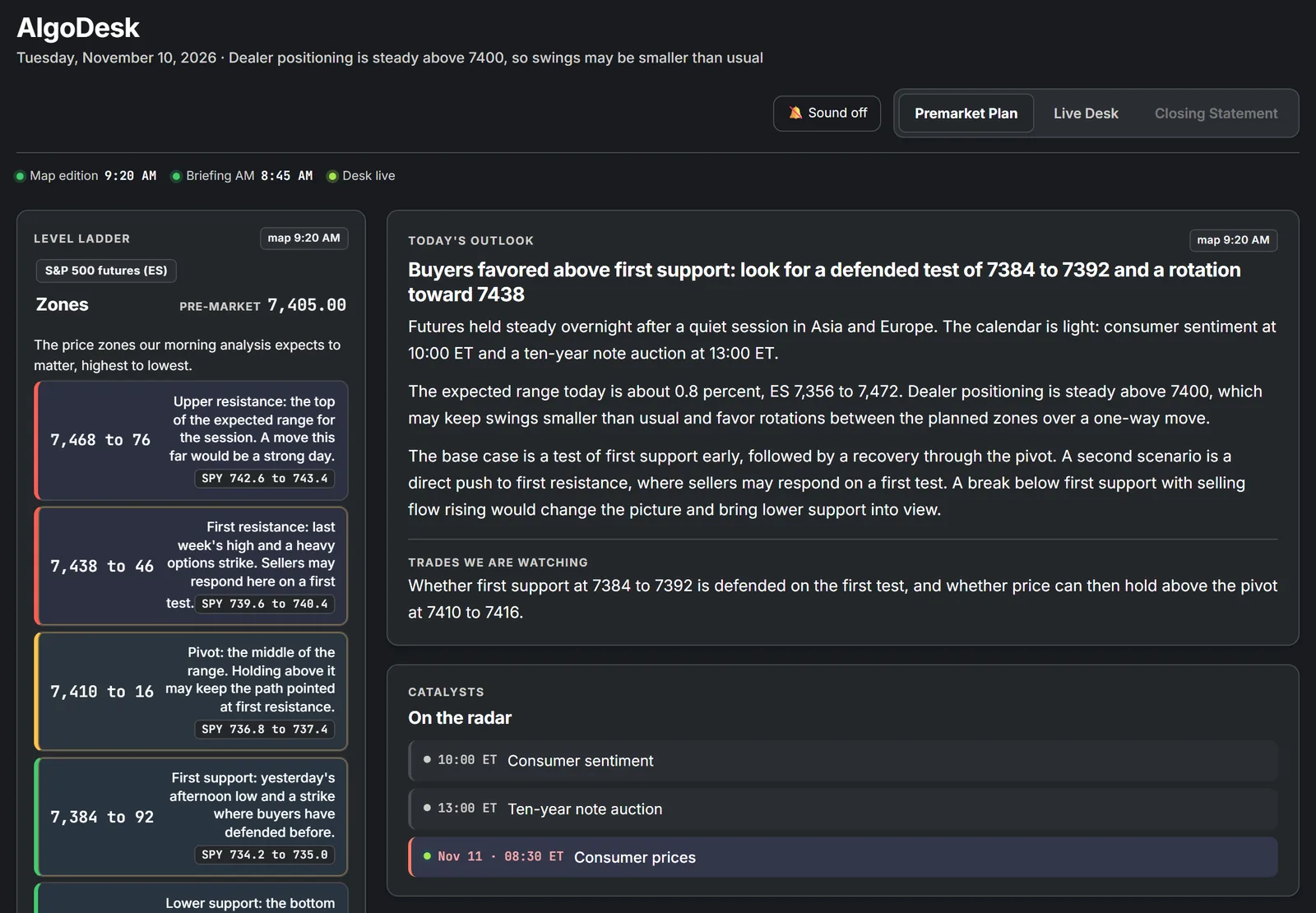
The Premarket Plan tab opens the day. It says what the desk expects, why, and what would change its mind, so the plan exists before the market starts moving.
- Session OutlookA headline, the reasoning in plain language, and the base case with the scenario that would replace it.
- Primary DriversThe one or two things that decide the morning, named up front.
- Economic CalendarThe day's scheduled economic reports and their release times, to help you prepare.
- Morning Briefing LinkA link to the written market briefing for the same session.
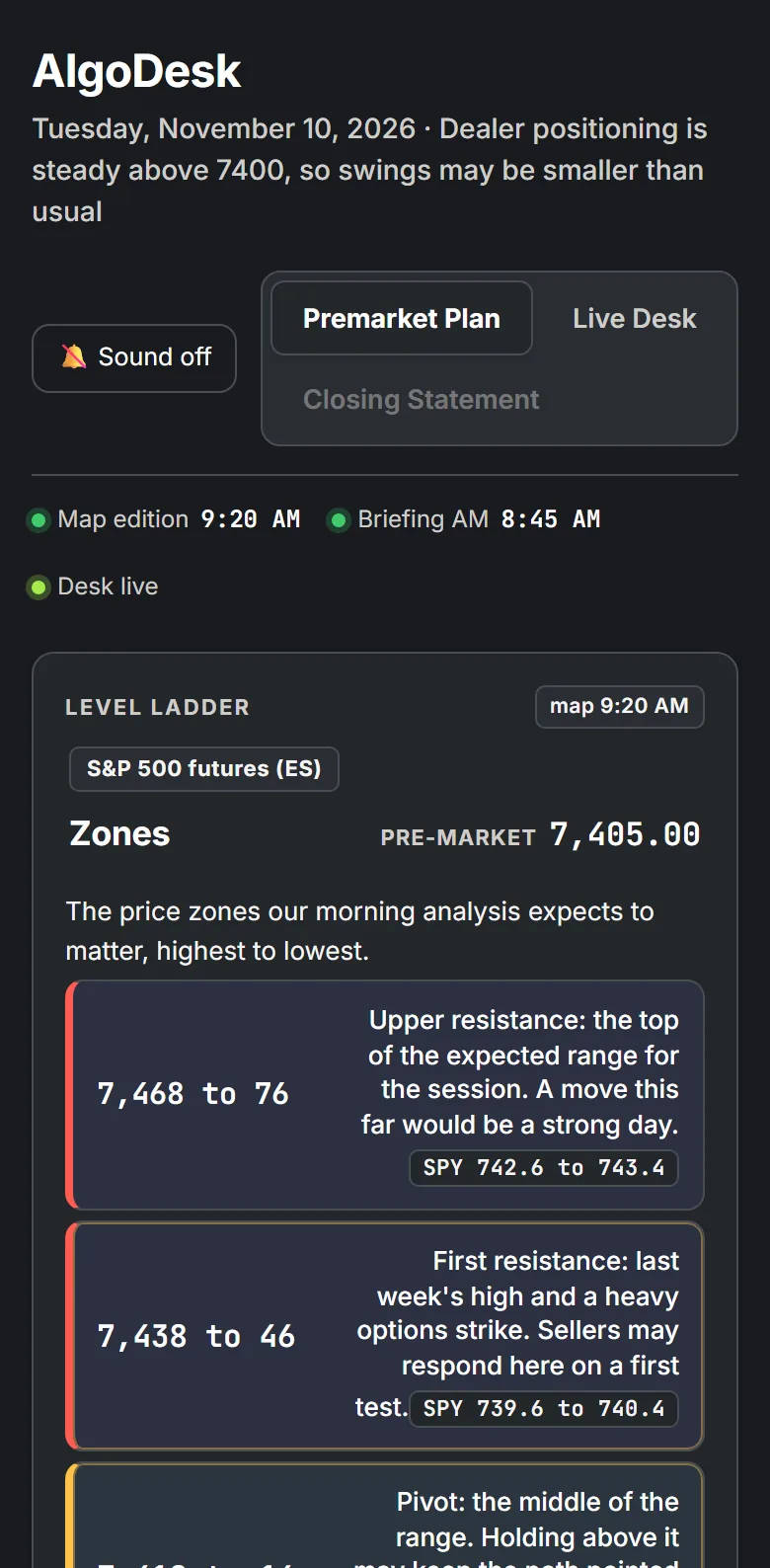
Key Price Zones: the level ladder in ES, with SPY beside it
The ladder lists the zones the morning analysis expects to matter, highest to lowest. Each one is an area, not a single number, with a sentence on why it is there.
- Zone ClassificationColor-coded zones, with the most important ones highlighted.
- Dual-Market PricingEvery zone shows its ES range and the matching SPY range, so the plan reads on either chart.
- Live Price MarkerDuring the session the current price moves along the ladder between the zones.
- Map SynchronizationPick a zone on the ladder and the same zone is picked out on the session map.
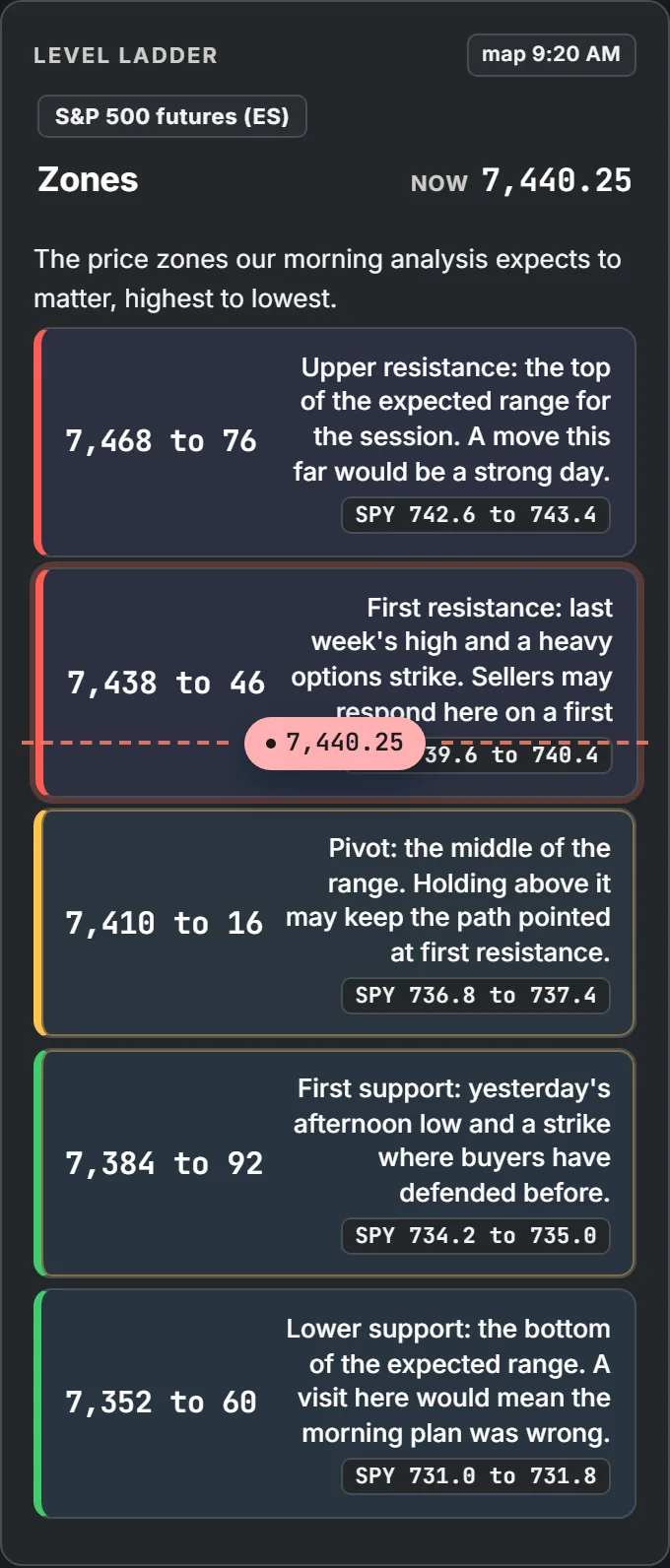
The ladder as it stands during the sample session. The price marker sits at first resistance.
Live Session Monitor: the plan tracked against the market
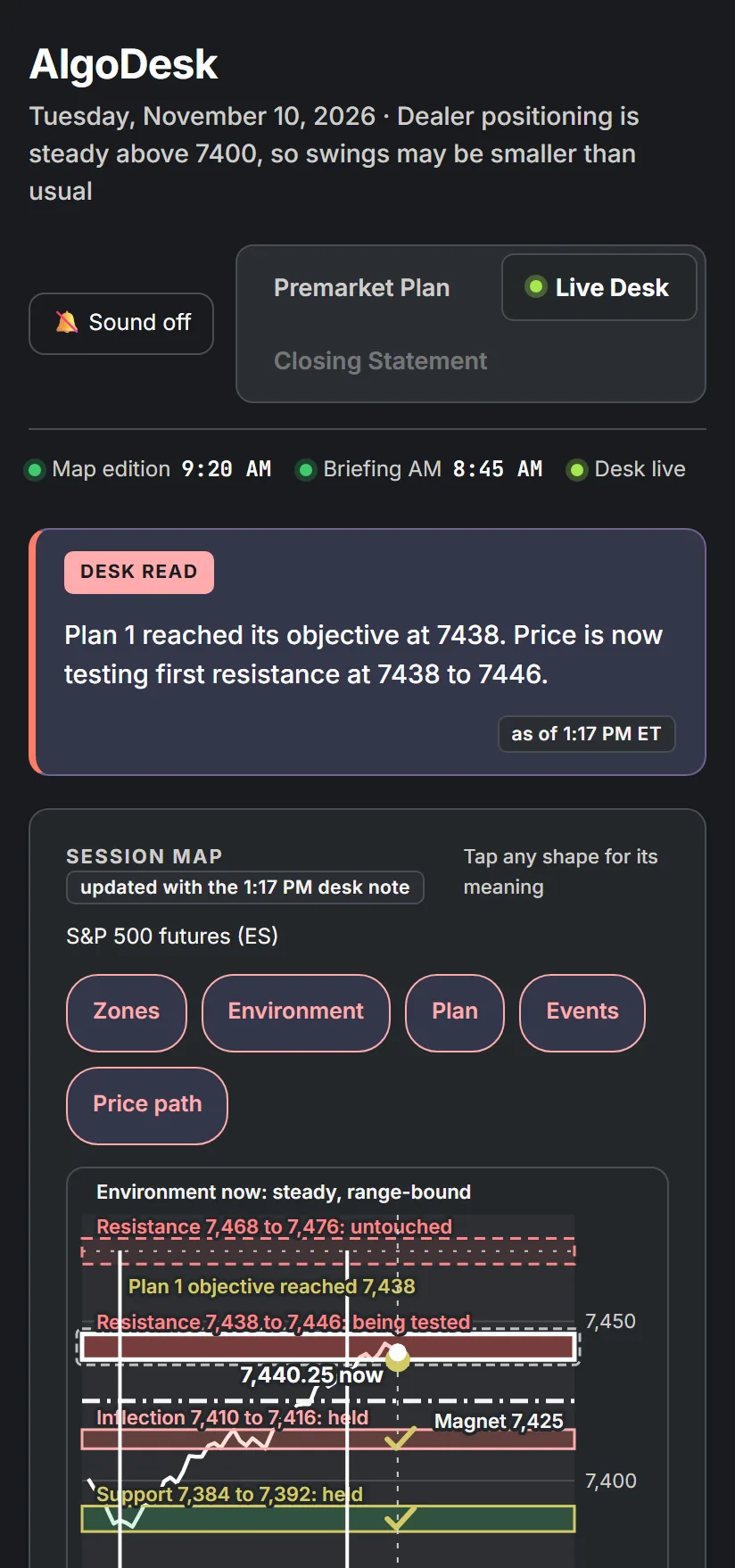
From the opening bell the Live Desk tab puts everything about the session on one screen: where price is, what the desk makes of it, and how each planned zone is holding up.
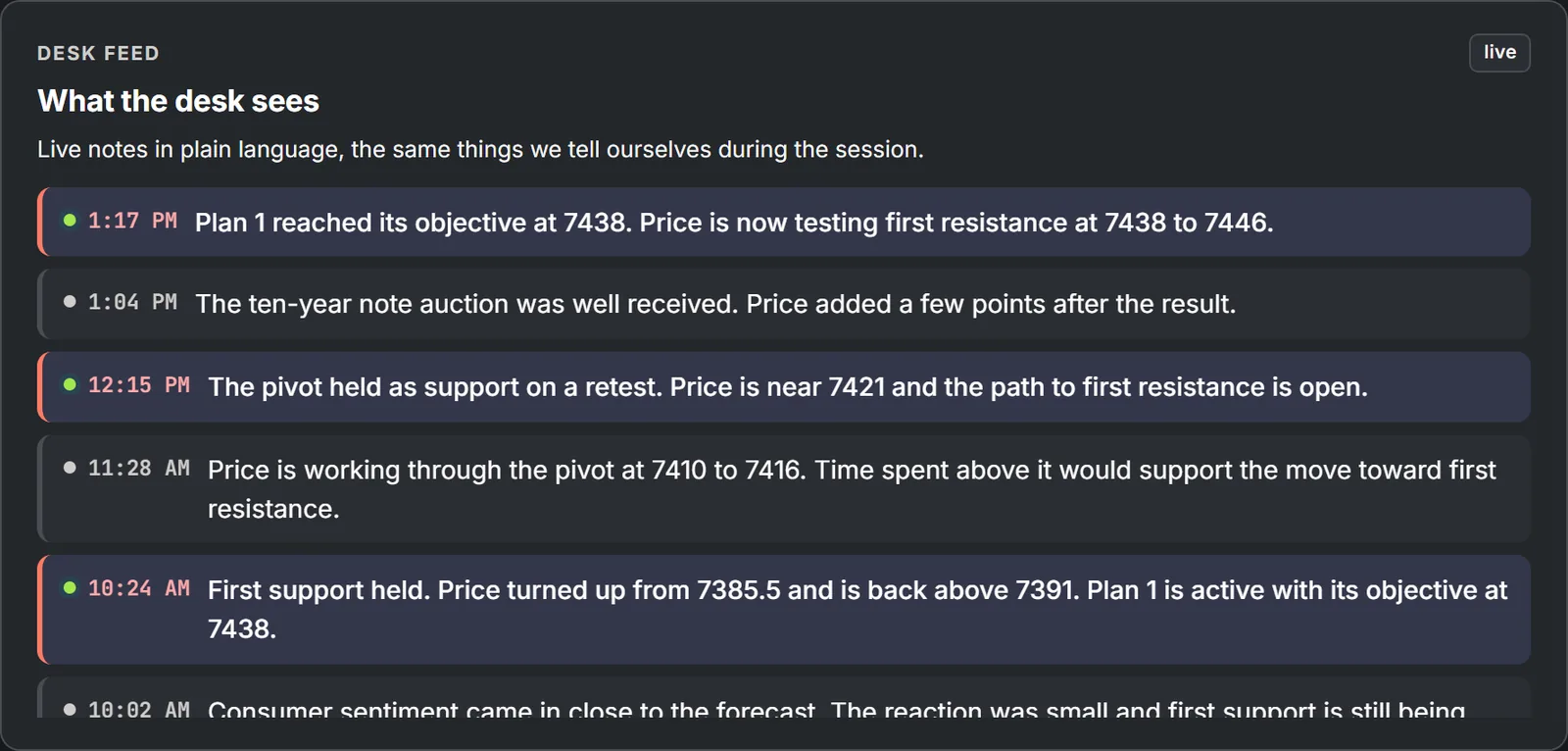
- Current Desk ReadThe desk's current one-line read of the session, time-stamped.
- Market Conditions GaugeToday's conditions at a glance: a stability read, the volatility index, options flow, the nearest magnet level and the expected range.
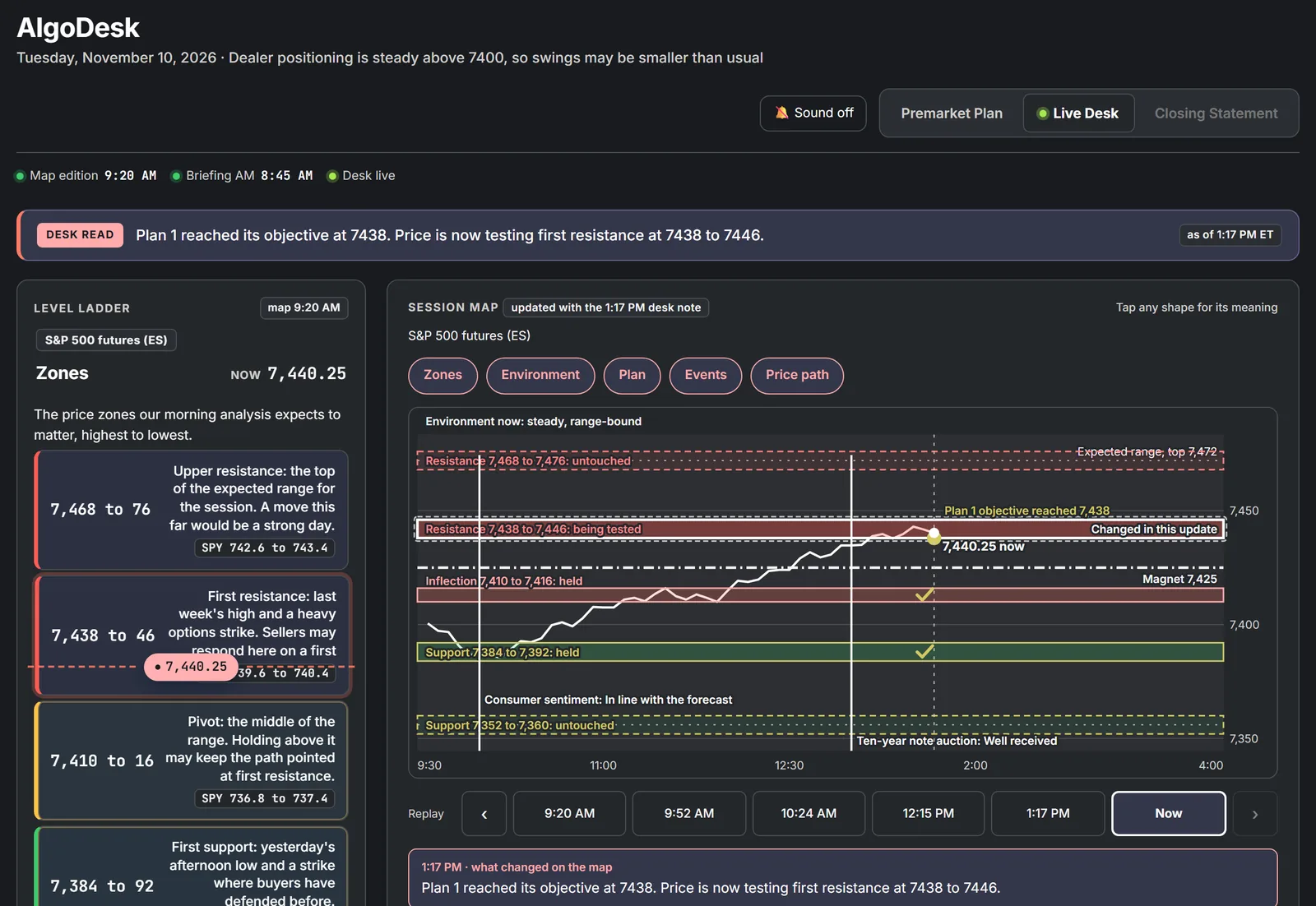
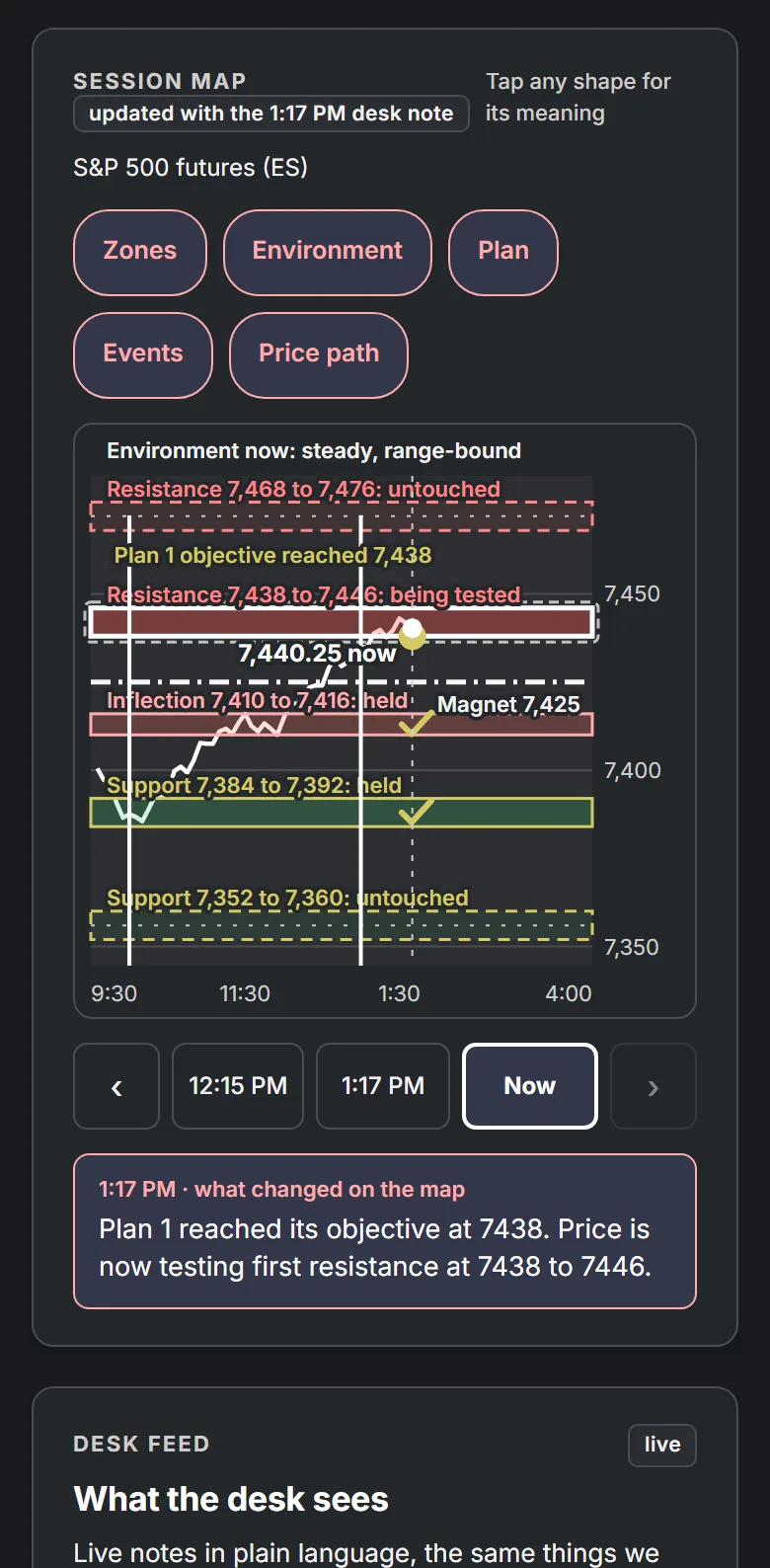
Interactive Session Map: the whole day on one picture
The map draws the price path through the day against the planned zones. Each zone carries its state, the layers switch on and off, and a replay bar steps back through the day.
- Zone Status TrackingUntouched, approaching, being tested, held or broken, updated as the session develops.
- Selectable LayersZones, the environment, the plan, events and the price path, each switched on or off.
- Event MarkersEach report is marked at its time, with the outcome once it is released.
- Session ReplayStep back through the desk's notes and watch the map as it stood at each one.
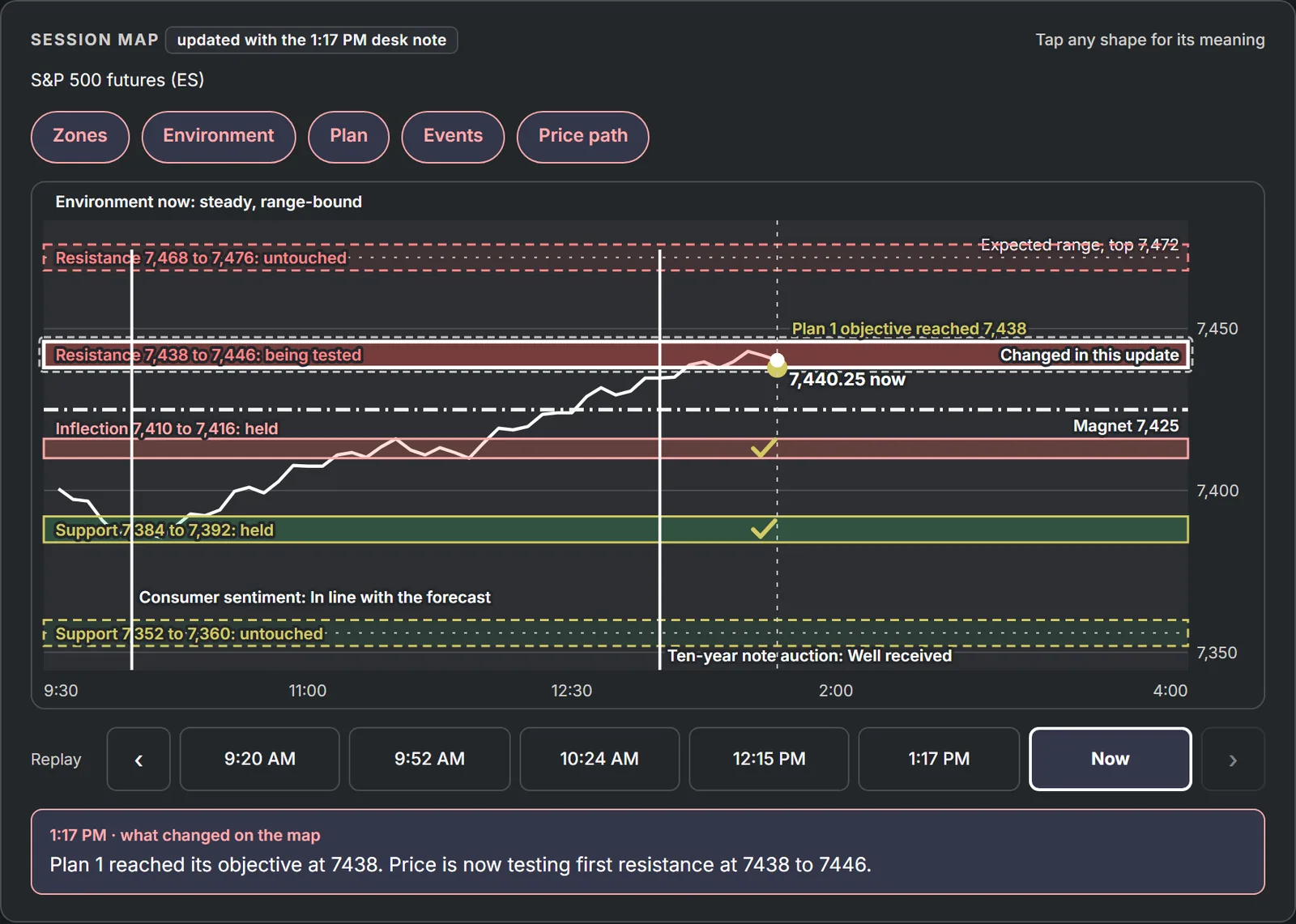
Live Desk Commentary with Voice-Over
As the session develops the feed adds short notes: a zone being tested, a zone that held, a plan that became active or reached its objective. Key notes are highlighted so the important moments stand out.
- Time-Stamped RecordRead the session back in order at any point in the day.
- Priority HighlightsThe notes that change the picture are marked; routine updates stay quiet.
- Voice-OverTurn on Sound to hear new commentary when audio is available, so you can follow the session without watching the screen.
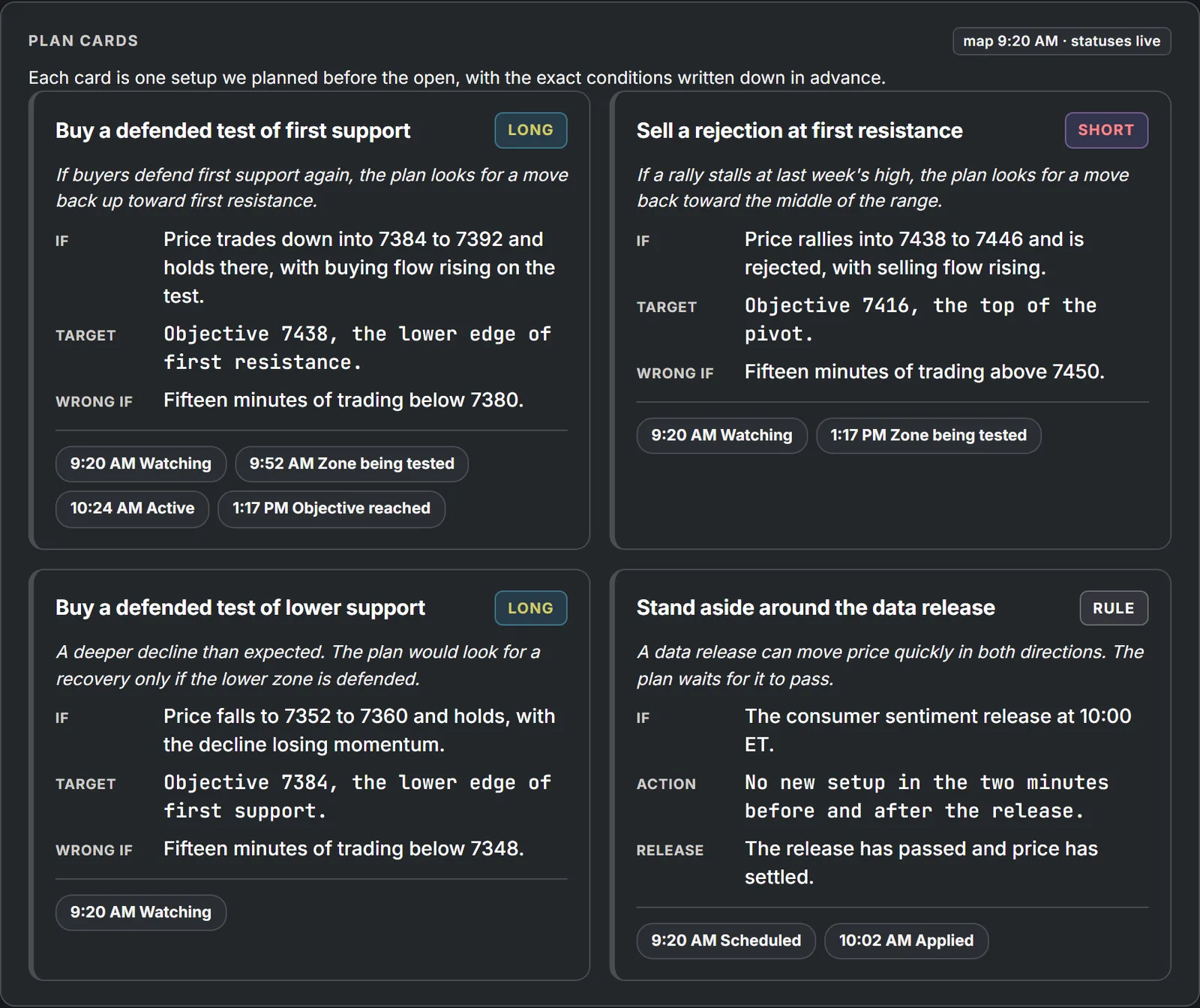
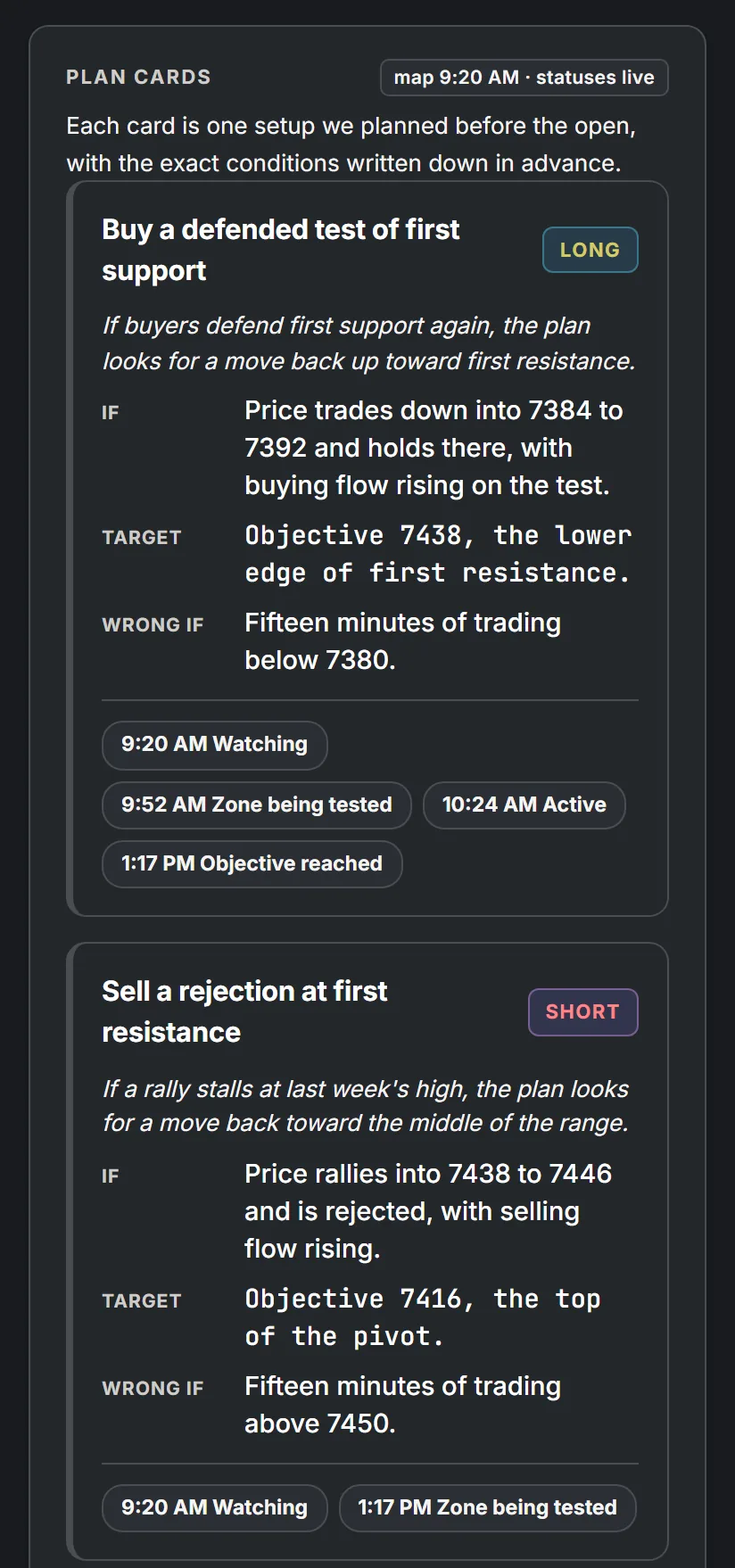
Rule-Based Trade Setups: if, target, wrong if
Each card is one setup planned before the open, written as three conditions and one sentence on what it means. Through the day a status trail records how the card got where it is.
- Trigger Condition (If)The condition that would bring the setup into play.
- Price Objective (Target)The objective, as a level.
- Invalidation Condition (Wrong if)The condition that would cancel the idea.
- Standing Session RulesSome cards are rules, such as standing aside around a data release, with their own trail.
Closing Review: every planned setup gets a status
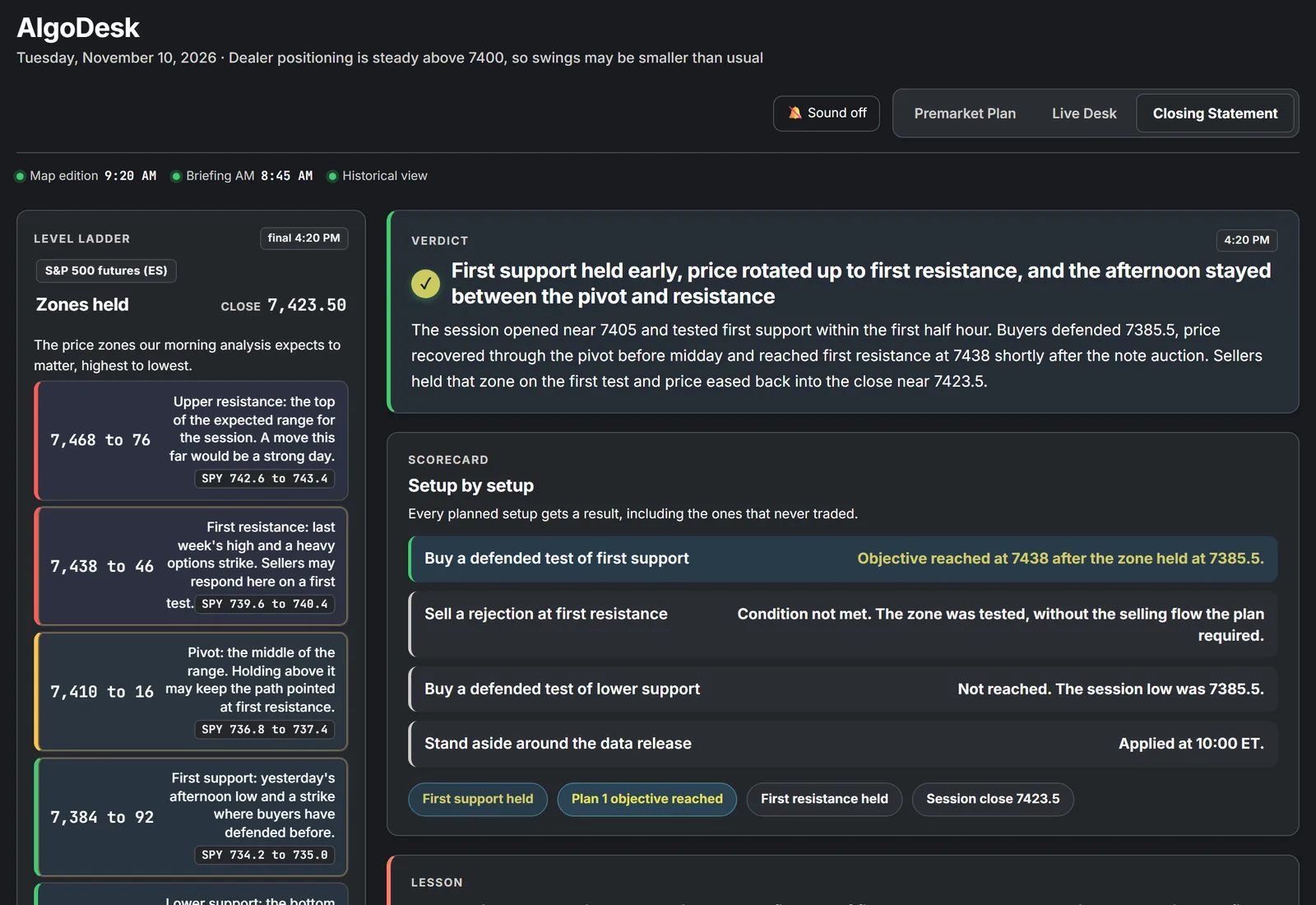
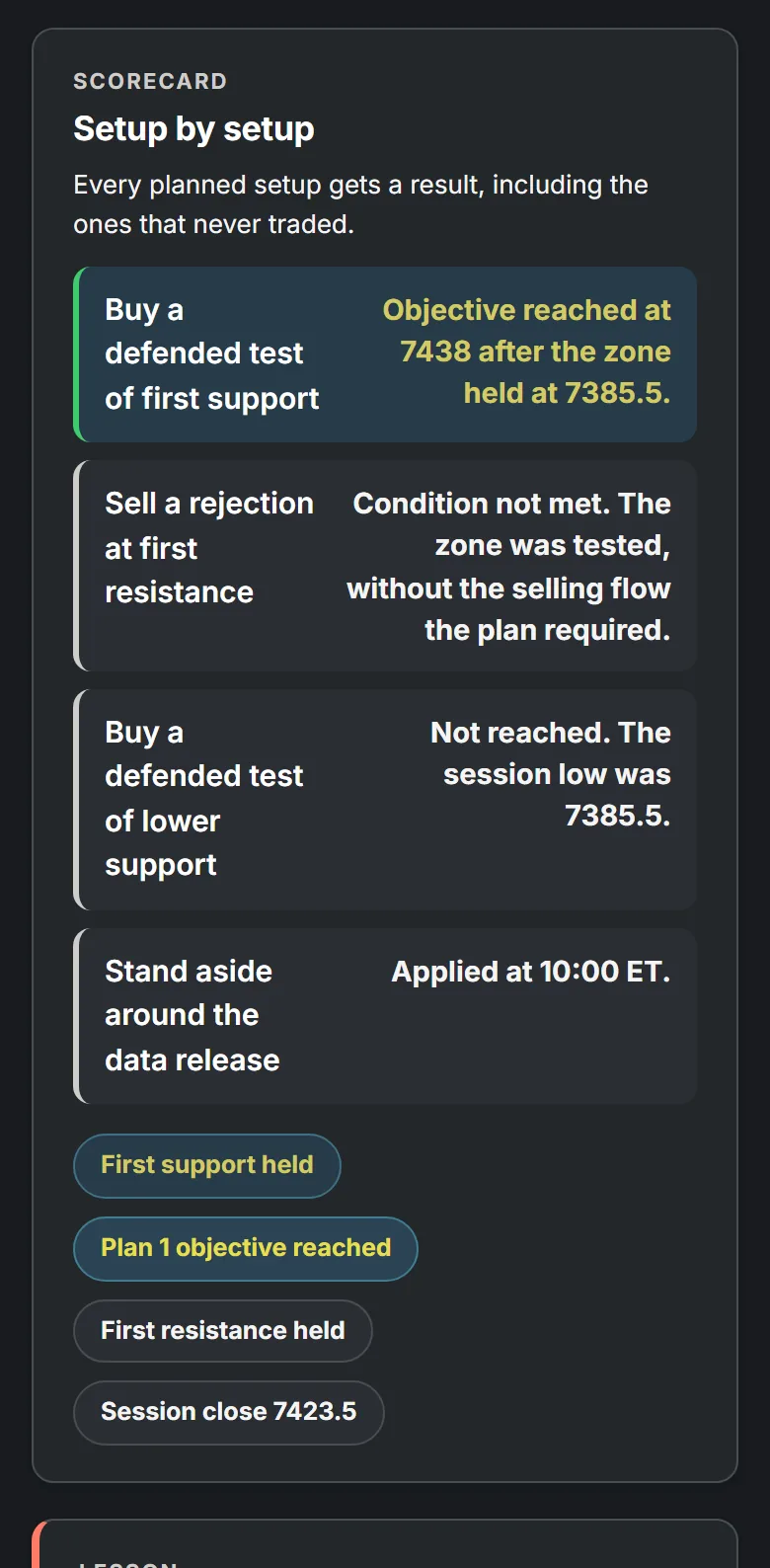
After the bell the Closing Statement tab reviews the plan against what the session did. Every planned setup is listed, including the ones whose condition was not met.
- Session VerdictOne headline and a short account of the session.
- Setup-by-Setup ReviewEach planned setup with its closing status, in the order it was planned.
- Key TakeawayWhat the session showed about the plan.
- Next-Session WatchlistThe levels and releases that may matter in the next session.
Also on the page
Questions about AlgoDesk
What is AlgoDesk?
AlgoDesk is the trading desk page inside the AlgoIndex members dashboard. It follows one S&P 500 session from the premarket plan, through the live session, to a closing statement after the bell.
Which market does AlgoDesk cover?
The S&P 500. Levels are shown in ES futures prices with the SPY equivalent beside each zone, so you can follow along on either chart.
When is it updated?
The plan is ready before the open, the live desk runs from 9:30 to 16:00 ET, and the closing statement follows the close. Past sessions stay available to review.
What do the zone states mean?
Each planned zone shows where it stands as the session develops: untouched, approaching, being tested, held or broken. The same states appear on the level ladder and on the session map.
Can I use it on my phone?
Yes. AlgoDesk is in the AlgoIndex app for iPhone and Android as well as the web dashboard, with the same plan, map, feed and closing statement.
Is AlgoDesk investment advice?
No. AlgoDesk is market analysis and education. It describes a plan and how the session developed against it; it is not a recommendation to buy or sell anything.
Included with every paid membership
AlgoDesk comes with Atlas, Session Patterns and the three daily market briefings, on the web and in the AlgoIndex app.
AlgoDesk is market analysis and education, not investment advice. Screens and illustrations on this page use sample data, not a live session. Past market behavior is not a guarantee or reliable indicator of future results. Trading futures and options involves substantial risk.